How to Use TikTok for Beginners: Make Your First Video
Your first TikTok can start with something you already know how to do. Follow a simple sourdough demo from recording to posting, and see where to get help if you get stuck.

Have you ever watched someone make a quick TikTok video and thought, “Well, that looks easy enough,” then opened the app and wondered where to begin?
I’d start with something you already know how to show someone. If you bake, film how you tell when your sourdough is ready to slice. If you garden, show how you check whether a pot needs watering. Imagine you’re showing one friend one thing. That gives you a first video idea before you even pick up your phone.
In this guide, we’ll go from choosing an idea to recording and posting your first TikTok video. I’ll also show you where I’d start with the Pay It Forward TikTok classes if you’d like lessons you can work through at your own pace.
Record a Short Practice Video
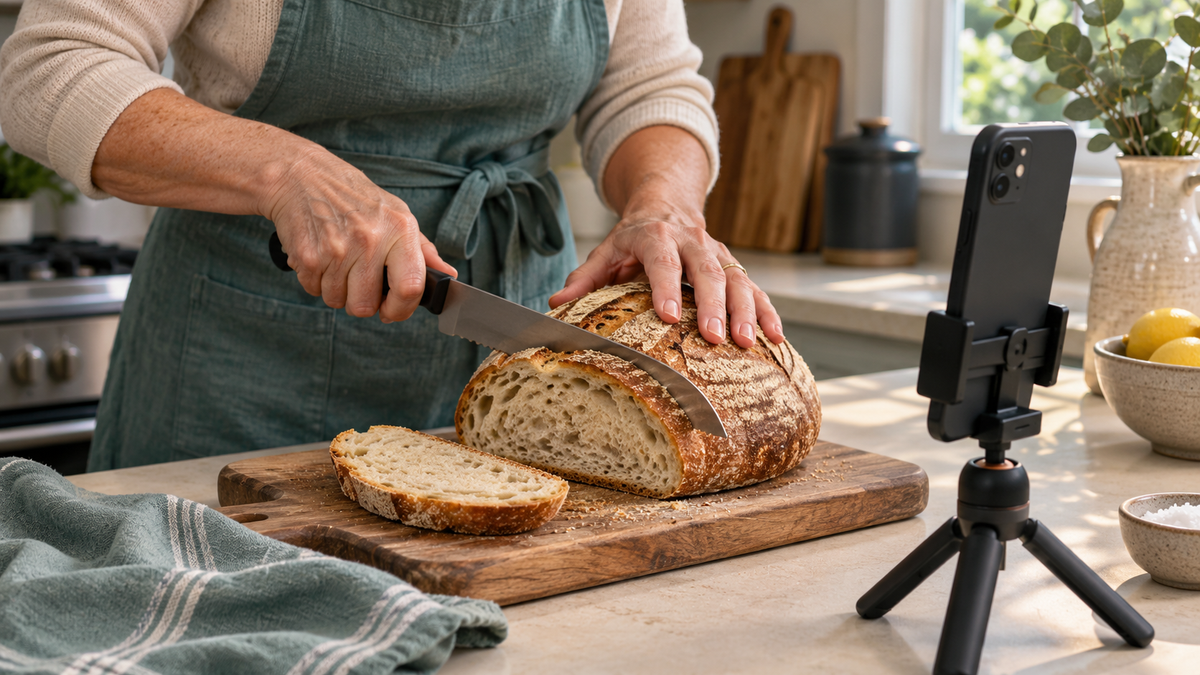
Pick one thing you could show a friend in about 20 seconds. If I were filming in my kitchen, I might show how I slice a loaf of sourdough without squashing it. I’d prop my phone upright where it can see the cutting board, then start with the loaf and knife already in view. The first slice is the part people came to see.
If talking on camera feels awkward, try filming just your hands. You can explain what you’re doing as you go or add a short line of text later. For this first try, record with your phone’s camera so you can watch it back before you open TikTok.
When you replay it, ask yourself, “Can I see what’s happening, and can I tell what I’m supposed to learn?” If your hand blocks the view, move the phone a little to the side and try again. If the action is easy to see, you’ve got a video to work with. And if you need another take, at least there’s more bread.
Upload and Post Your First TikTok Video
Open TikTok, tap the + at the bottom of the screen, and choose the practice clip you recorded on your phone.
- Watch the preview. If there’s a long pause while you reach for the knife, trim the beginning so viewers get to the first slice sooner.
- Add a short line of text if it helps. Try “How I slice sourdough without squashing it.” Place the words where they’ll be easy to read and keep the loaf and your hands visible.
- Tap Next and write a short description. For the bread clip, I might write, “Here’s how I slice my sourdough without pressing down on the loaf.”
- Check who can see the video, then tap Post when you’re ready. If you’d like to look it over again tomorrow, tap Drafts to save it for later.
For your first TikTok, one clear shot and a few words about what you’re showing will do just fine. The bread can handle the rest.
Where to Get Help Learning TikTok
If you like learning one step at a time, I’d start with TikTok Mastery: Learning the Basics from Pay It Forward Marketing. It’s the beginner course, and the recorded lessons give you something to go back to when you want to try a step again.
There’s also a weekly live TikTok class. If you’ve made a practice video and gotten stuck on something, jot down where you got stuck. A specific question like “How do I trim the first few seconds of my clip?” gives you something concrete to bring to the next class.
Once you’re comfortable posting, TikTok Marketing covers things like setting up your profile, planning videos, and helping people find your content. If you eventually want to host a livestream of your own, there’s a separate course called Going Live on TikTok.
What Will You Show in Your First TikTok?
Think of one little trick someone has asked you to show them. Maybe it’s how you slice sourdough, fold a fitted sheet, or tell when a plant needs watering. That’s a video idea you already know enough to try. If you get stuck along the way, you’ve got a question to bring to the weekly live class.
Curious how a short video can become a shoppable product demo? In TikTok Shop Affiliate for Beginners, I show how I’d demonstrate a cake decorating spatula and explain how creators can earn commissions from qualifying purchases.
Want to see how Pay It Forward works? Start with the overview. To find the beginner TikTok class in the course catalog, look for MKT-106 · TikTok Mastery: Learning the Basics.
Affiliate Disclosure: I may earn a commission if you join PIF through this link.